
























Ask. Approve. Done.
Claude, ChatGPT or any MCP-capable client reads your Pixa panel, previews every write and waits for your approval.
Open your panel to AI. The Pixa MCP server connects with 60 tools: 43 read and 17 write, and the writers return a preview first.
See the tool list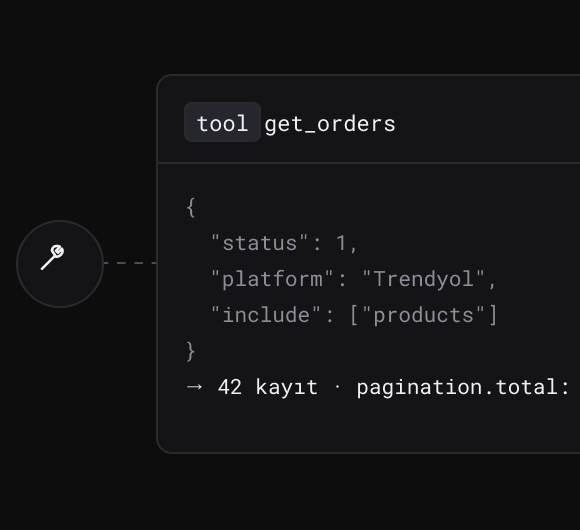
Orders, products, stock, shipping, invoices, buyer questions and integrations: 60 tools, scoped to your account alone.

Type your question; the client picks the right tool and returns the answer with its source and counts.
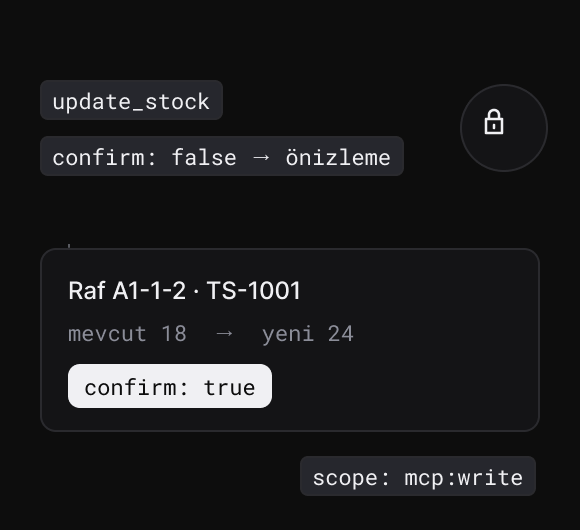
Sixteen writing tools return a preview first, and nothing changes until you approve it.
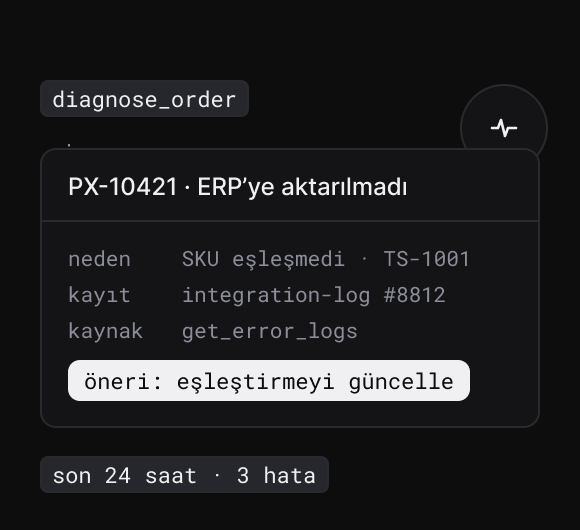
Ask about a stuck order and the order, its lines, address, logs and stock movements come back in one call, ready to re-send to the ERP.
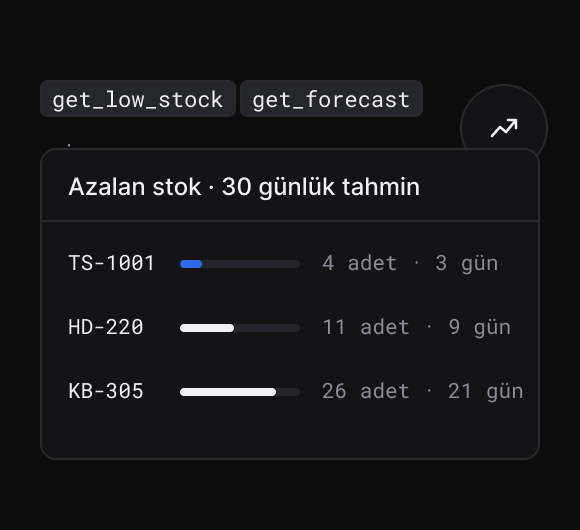
Low stock and demand forecast in one question, with the stock-out date from your sales rate.
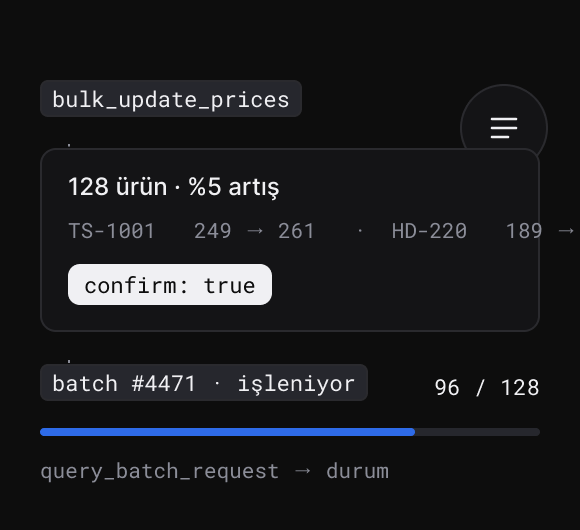
A bulk price change comes back as a list of differences first; it goes out after approval, and you ask the marketplace for the result.
Every channel, already connected.
Marketplaces, e-commerce platforms, carriers, pre-accounting, ERP and 3PL: more than a hundred integrations in the same panel.
All integrations →





































































Run your panel by talking to it. The agent asks, Pixa acts, and the last word is yours.
Start freeNew features every week. The roadmap follows what our customers’ operations actually need.
See all →Ecza1 mağazanızı Pixa'ya bağlayın, ürün, stok, fiyat ve siparişlerinizi tek yerden yönetin.
Ciro, ürün ve kârlılık analizleriniz tek ekranda; her tabloyu Excel'e alın.
Ürün fotoğrafınızdan sanal modelli ve lifestyle görseller üretin.
Alibaba.com mağazanızı Pixa'ya bağlayın, sipariş ve stoğu tek yerden yönetin.
Frequently asked
questions
It is a server that opens your Pixa account to AI clients that support the Model Context Protocol. Sixty tools: 43 read and 17 write. The client turns your question into a tool call and answers from your own account’s data.
Take your API token and personal MCP address from the My Account page, add it as a custom connector in your client (ChatGPT or Claude › Connectors), then enter your email and token on the Pixa screen and grant access.
ChatGPT, Claude, any client that supports the MCP protocol, or an agent you write yourself.
Orders, returns and shipping; products, variants, images and marketplace catalogues; bin-level stock, work orders and counts; invoices, customers and definitions; buyer questions; integration settings and logs.
Any tool that changes data returns a preview of what it will do, and nothing changes until you approve it. Order status, price, stock, category mapping and marketplace jobs all fall under this.
It drafts an answer from product data and suggests your saved replies; sending it to the marketplace is a separate tool and needs your approval.
No. Integration API keys, passwords and tokens are masked in responses, and your Pixa password is never shared with a third party.
No. Only the account’s main user can connect, and only your own account’s data is reachable; no other company’s data is visible.