

























Products reach the channel from Pixa. Approval comes back and selling starts.
Copy to the catalogue.
The selected products are copied into the channel catalogue, where the title, description and images are adjusted for that channel.
Send to the channel.
Products in the Not Linked tab are sent in bulk, and an approved product moves to Linked.
See the result.
The result of every push is in the log, with pending approval and live products shown separately.
Listing is set up in three steps. Map, fill, send.
Map the category.
Your Pixa category is mapped to the channel’s category tree; AI suggests the match down to the deepest level and you approve it.
Fill the required fields.
AI fills required fields such as colour, size and fabric from the master record, and the rest are entered in bulk with a template.
Send it.
The product goes to the channel; once approved the match is made and stock and price start flowing.
Separate content per channel. Title, description, images and language.

Channel title and description.
A separate title and description per channel: the long copy goes to the marketplace and the short one to your store.

Content with AI.
The product title and description are written by AI, with the length set to each channel’s rules.

Translation and currency.
Content is translated for international marketplaces and the price is sent in the channel’s currency.
Map once, use it always. Category, brand, attributes.
Category mapping.
The channel’s category tree is pulled in, AI maps it down to the deepest level and you approve.
Brand and attributes.
Brands are submitted to the channel for approval, and AI fills the required attributes.
Attributes from Excel.
Attributes are assigned in bulk from Excel, so colour and size for hundreds of products fill from one file.
List your products on marketplaces in minutes.
Try it free for 14 days; we don’t ask for payment details.
Set it up once. The record arrives, is mapped and goes to the channel.

A product copied into the catalogue is sent to the channel with its category match and required fields, and moves to the Linked tab once approved.
How it worksOne product, inside the flow. Copied, submitted, live.
It is copied to the catalogue.
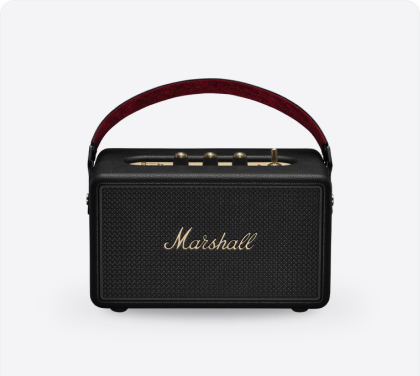
The Marshall speaker is copied into the Trendyol catalogue, and its title and description are adjusted for that channel.
It is submitted for approval.
The product goes to Trendyol with its category match and required attributes, and approval usually comes back within an hour or two.
It goes live.
The approved product is matched and moves to the Linked tab, and stock and price start flowing to the channel.
Products are listed on a channel in one operation. Categories and attributes are mapped once, and the rest runs itself.
Start freeNew features every week. The roadmap follows what our customers’ operations actually need.
See all →Ecza1 mağazanızı Pixa'ya bağlayın, ürün, stok, fiyat ve siparişlerinizi tek yerden yönetin.
Ciro, ürün ve kârlılık analizleriniz tek ekranda; her tabloyu Excel'e alın.
Ürün fotoğrafınızdan sanal modelli ve lifestyle görseller üretin.
Alibaba.com mağazanızı Pixa'ya bağlayın, sipariş ve stoğu tek yerden yönetin.
Stay ahead in operations.
Product updates in your inbox.
Frequently asked
questions
You connect the channel, copy the products into its catalogue, map the categories and send them in bulk.
Category and brand mapping, the required attributes and a valid barcode; anything held on the master record comes across on its own.
Yes. Nothing can be sent until the deepest category is mapped, and the attribute template comes from that mapping.
Once the marketplace approves it. Approval usually takes one to two hours, then Match Products moves it to the Linked tab.
Price and stock always; images, category and attributes follow the marketplace’s rules and are set before approval, while your own store has no such limits.
They fill from the master record, and the rest are entered in bulk with an attribute template or from Excel.
As many as you select: hundreds go in one operation and the result appears in the log.
It is a core module in Starter, Lite, Pro and Advanced.